Prismatic Software Editorial Team
TL;DR: Duplicate detection runs on a spectrum of methods trading accuracy for speed — exact-match hashing (MD5/SHA) catches only byte-identical files, perceptual hashing (pHash, dHash, aHash) survives resizing and re-compression but not heavy crops, feature matching (SIFT/ORB) catches crops and rotations at real compute cost, and deep-learning embeddings catch semantic near-duplicates hashing misses entirely. Which one you need depends on your tolerance for false negatives and how fast the check has to run.
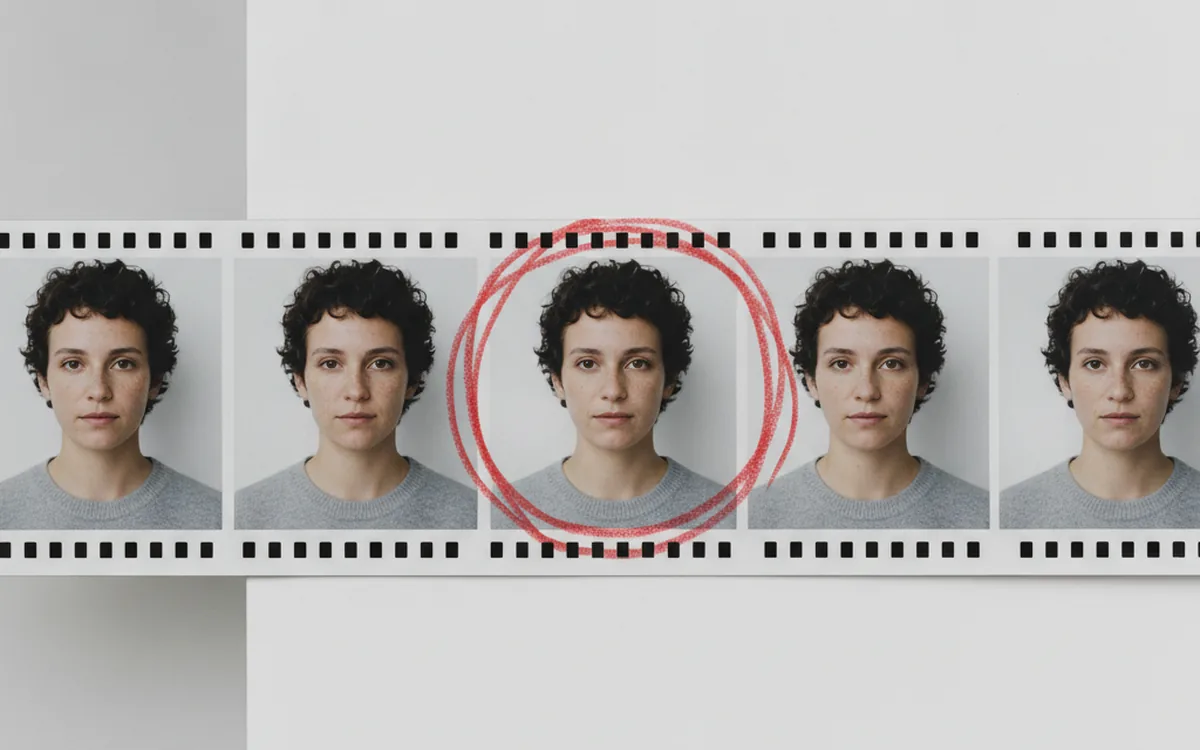
"Find duplicate photos" sounds like one problem. It isn't. A photo re-saved at a different JPEG quality, a photo cropped to a different aspect ratio, and three near-identical frames from a burst are three different detection problems, and an algorithm tuned for one will quietly fail at the other two.
For teams whose workflow already runs on a studio-scale pipeline, building and maintaining this kind of detection logic in-house is exactly the kind of work a software development partner like YuSMP Group handles for teams that need it wired into their own archive or DAM, not bolted on as a separate SaaS tool. The rest of this piece walks through how each detection method actually works.
Why "Duplicate" Isn't a Single Technical Definition
Four categories hide under the word "duplicate," and each needs a different detection approach:
- Exact byte-for-byte duplicates — the identical file, copied twice.
- Visually identical but re-encoded — same image, different JPEG quality setting or format, different bytes.
- Cropped, rotated, or resized — the same underlying photo, geometrically transformed.
- Burst near-duplicates — several distinct frames shot a fraction of a second apart, visually close but not the same image.
An algorithm built for the first category will miss the other three entirely, and that gap is where most "why didn't this catch my duplicates" complaints come from.
Exact-Match Detection: MD5/SHA Hashing
Cryptographic hashing is the simplest approach and the one most people reach for first: run every file through MD5 or SHA-256, and two files with the same hash are byte-identical. It's fast, deterministic, and has effectively zero false positives — a hash collision between two unrelated photos isn't something you'll encounter in practice.
The limitation is as strict as the method. Change a single byte and the hash changes completely. Re-save a JPEG at a different quality setting, strip its EXIF data, or convert it to PNG, and the hash no longer matches even though the image looks identical on screen. That makes cryptographic hashing the right tool for catching literal copies during sync or backup deduplication — and the wrong tool for almost everything else people mean by "find my duplicate photos."
Perceptual Hashing: aHash, pHash, dHash
Perceptual hashing solves the re-encoding problem by hashing what the image looks like instead of its exact bytes. The general pattern across aHash (average hash), pHash (perceptual hash, DCT-based), and dHash (difference hash) is: downsample the image to a small fixed size (commonly 8×8 or 32×32 pixels), reduce it to grayscale, and derive a short binary fingerprint from the resulting pixel or frequency pattern. Two images produce similar hashes if they look similar, even if their underlying bytes are completely different.
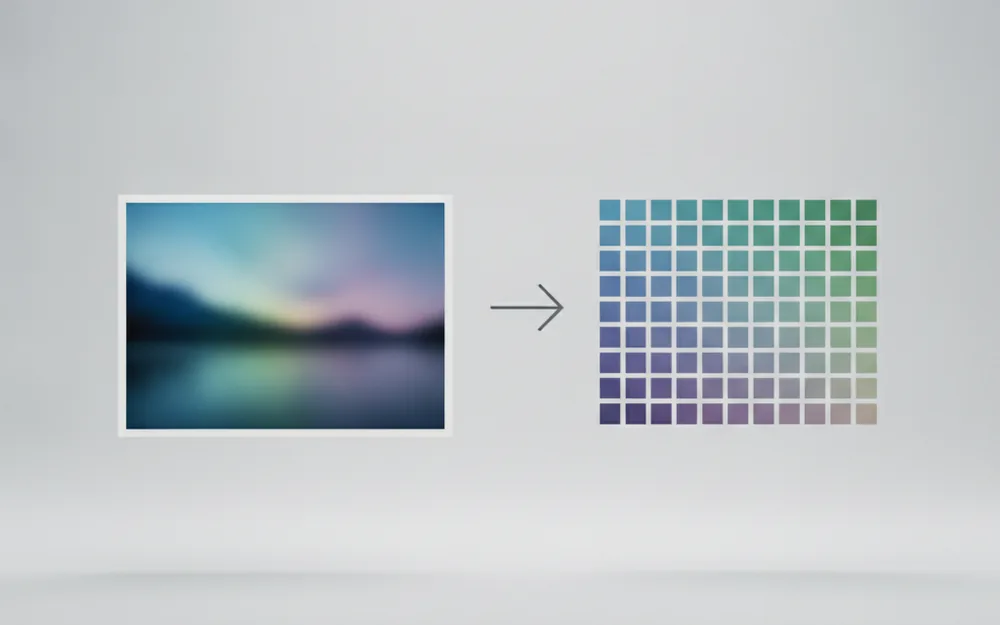
Comparing two perceptual hashes means counting the number of differing bits between them — the Hamming distance. A Hamming distance of 0 means the hashes are identical; small distances (typically under 5-10 bits out of 64, depending on the hash length) indicate the images are likely near-duplicates. Set the threshold too tight and you miss real duplicates with minor edits; set it too loose and unrelated-but-similar photos start matching.
Why Perceptual Hashes Survive Resizing But Not Heavy Crops
Because the hash is derived from a downsampled version of the whole frame, resizing, re-compressing, and minor color adjustments barely move the hash — the overall structure of the image is preserved. A heavy crop, however, changes what fraction of the original scene is even in the frame, which can shift the downsampled pattern enough to push the Hamming distance past any reasonable threshold. Perceptual hashing is reliable for "same image, different file"; it's unreliable for "same photo, different framing."
Feature-Based Matching for Crops and Rotations
When crops, rotations, or partial overlaps matter, feature-based matching picks up where perceptual hashing stops. Algorithms like SIFT (Scale-Invariant Feature Transform) and ORB (Oriented FAST and Rotated BRIEF) detect distinctive keypoints — corners, edges, textured regions — and describe each with a vector that stays recognizable even if the image is rotated, scaled, or partially cropped. Matching two images means matching their keypoint sets and counting how many correspond well enough to be the same underlying content.
This is computationally heavier than hashing by an order of magnitude — worth the cost when your archive has a real volume of cropped or rotated duplicates: stock photo libraries, reprocessed scanned archives, or user-submitted content re-uploaded with different framing.
Deep-Learning Embeddings for Near-Duplicates and Bursts
Hashing and feature matching both reason about pixel layout. Embedding-based detection reasons about content: a convolutional neural network (CNN) processes each image into a fixed-length vector representing what's semantically in the frame, and two images are compared by cosine similarity between their vectors. This is the method that catches burst near-duplicates — frames of the same subject a fraction of a second apart, where pixel layout differs but the content is clearly the same shot repeated.
The Trade-Off: Accuracy vs. Infrastructure Cost
Embeddings catch cases hashing and feature matching both miss, but that accuracy comes with real infrastructure cost: CNN inference per photo is far more expensive than computing a hash, typically needs GPU acceleration at volume, and the resulting vectors need a dedicated similarity index rather than a simple lookup table. For a personal library of a few thousand images, that cost isn't worth paying; for a studio or stock archive processing bursts at scale, it often is.
Scaling Duplicate Detection From Thousands to Millions of Photos
Every method above describes comparing two images. Comparing every photo in an archive against every other photo is an O(n²) operation — fine at a few thousand files, unworkable past a few hundred thousand. Production-scale systems avoid this by indexing first: Locality-Sensitive Hashing (LSH) groups similar hashes or embedding vectors into buckets, so a new photo only needs to be compared against the small number of candidates already in its bucket, not the entire archive.
This indexing step is also where batch-processing architecture decisions compound: a pipeline that already processes photos in controlled, resumable batches has a natural place to run duplicate detection as one stage, not a separate pass over the whole archive after the fact.
What Does Your Team Actually Need?
For a hobbyist archive of a few thousand photos, perceptual hashing alone is usually the right amount of engineering — it catches re-saves, resizes, and minor edits without the overhead of feature matching or embeddings. For a studio or DAM operating at scale, a single method rarely covers the full range of duplicate types: a hybrid pipeline — cryptographic hashing for exact copies, perceptual hashing for re-encodes, feature matching or embeddings layered on for crops and bursts, LSH indexing to keep comparison cost manageable — is what actually holds up against millions of real files, and it's rarely something a generic off-the-shelf tool covers once it needs to be wired into an existing archive's ingestion and review workflow.
Frequently Asked Questions
Can duplicate detection algorithms tell apart two different photos of the same scene?
Hashing often can't reliably — two shots a second apart can hash closer together than a resized copy of the same file. Feature-matching and embedding models are better at this because they reason about content, not just pixel layout.
Why do some duplicates still get flagged as different files?
Exact-match hashing compares bytes, not pixels. A re-save, re-compression, or format conversion changes the byte stream even though the image looks identical, so MD5/SHA sees two different files.
Is perceptual hashing enough for a professional photo archive?
For resizes, re-compressions, and light edits, yes. For heavy crops, rotations, or genuinely similar-but-different burst shots, it misses too much and needs feature matching or embeddings layered on top.
Does duplicate detection work on RAW files the same way as JPEGs?
Not directly. Hashing and embedding algorithms operate on decoded pixel data, so RAW files need to be decoded and demosaiced first; two RAW files run through different decoders can produce different pixel data from the same sensor capture, changing the hash.
How accurate is AI-based duplicate detection compared to hashing?
Embedding-based detection generally catches more true near-duplicates than hashing alone, but it also introduces more false positives on similar-but-distinct photos, so it needs a tuned similarity threshold rather than being treated as more accurate by default.
What's the performance cost of checking millions of photos for duplicates?
Comparing every photo against every other photo is O(n²) and becomes impractical past a few hundred thousand images. Production systems use indexing like LSH to narrow comparisons to a small candidate set first.
Can duplicate detection algorithms be fooled on purpose?
Yes. Hashing can be defeated by adversarial pixel-level perturbations designed to change the hash while leaving the image visually unchanged, which is why integrity-sensitive use cases layer multiple detection methods rather than relying on one. The original write-up on perceptual hashing by Dr. Neal Krawetz covers these limitations in detail.