Prismatic Software Editorial Team

TL;DR: Generative fill is a masked region plus an inpainting model: a user selects an area, that area and a prompt (or just the surrounding context) get sent to a diffusion-based inpainting model, and the result is composited back into the original file as one more layer in the edit stack. The first real architecture decision is hosted API versus self-hosted model — it drives cost, latency, and whether client photos leave your infrastructure at all. The UX risk underneath all of it is latency: this is not a synchronous filter, and treating it like one is the most common mistake.
Photo editors have offered content-aware fill and clone-stamp tools for well over a decade, but those tools work by copying and blending pixels that already exist somewhere else in the image. Generative fill is a different mechanism entirely: a diffusion-based inpainting model doesn't copy, it predicts what plausibly belongs in the masked region and synthesizes new pixel data from scratch, conditioned on the surrounding context and, often, a short text prompt. That distinction is why it handles object removal against a complex background — sky behind a power line, texture behind a logo — far better than older blend-based tools ever could.
For teams that don't want to maintain a model-serving pipeline in-house, wiring generative fill into an existing editor end-to-end — mask handling, inference routing, compositing, and the privacy questions that come with sending client photos to a third-party model — is exactly the kind of work a generative AI integration team at YuSMP Group takes on. The rest of this guide walks through how the pieces fit together and where the real decisions are.
What "Generative Fill" Actually Does to an Image
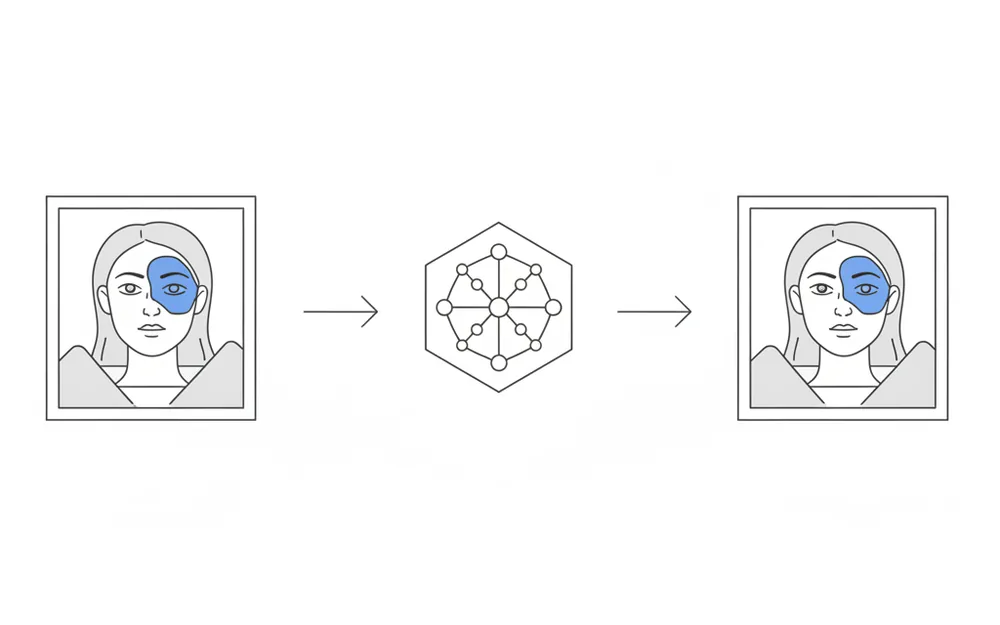
At the mechanical level, generative fill takes three inputs: the original image, a bitmap mask marking the region to change, and optionally a text prompt describing what should appear there. A diffusion-based inpainting model runs inference conditioned on all three, and rather than returning one deterministic answer, it typically produces several candidate variations for the same masked region — the model is sampling from a distribution of plausible fills, not solving for a single correct one. The final step, composite back into the original file, is deceptively the part most implementations get wrong on the first pass, because the seam between generated and original pixels has to blend cleanly even when the generated region's lighting or grain doesn't perfectly match.
The Three Building Blocks of the Feature
Split into its moving parts, a generative fill feature is three distinct subsystems wired together, and each one is a separate set of decisions.
Mask capture
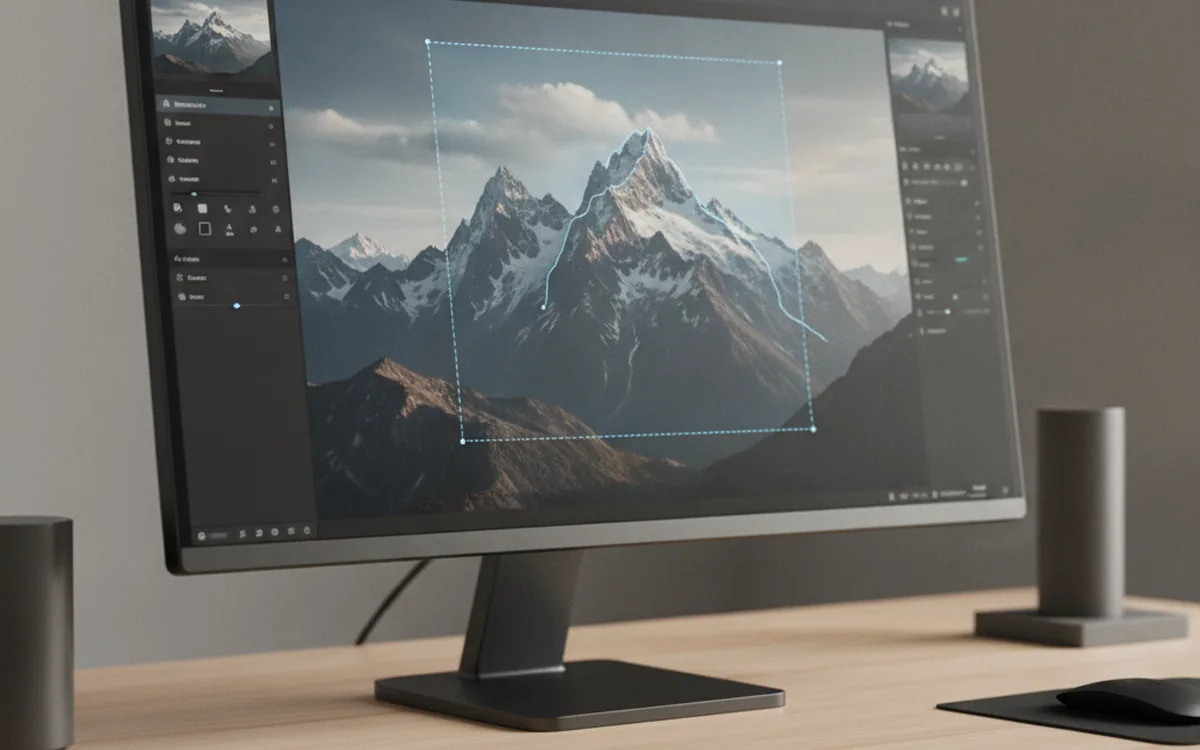
The user needs a way to define the region to change — freehand brush, lasso, or an automatic "select subject" step — and that selection has to become a clean bitmap mask the inference stage can consume. This is mostly UI work layered on image-processing primitives an editor likely already has for other selection tools, with one addition: mask edges usually need a small feathered margin so the inpainting model has context to blend against, rather than a razor-sharp cutoff.
Running inference
The mask, the source region, and any prompt get sent to an inpainting model — a hosted API call or a request to a locally running model — and the response comes back as one or more candidate fills for that exact region. This is the stage where the hosted-versus-self-hosted decision (next section) actually bites, because it determines latency, cost per call, and what infrastructure the feature depends on.
Compositing back into the original file
The returned fill has to be blended into the original image at the mask boundary — edge feathering, color and grain matching so the seam doesn't read as an obvious patch — and pushed onto the application's existing undo/redo stack as a reversible edit, not a destructive pixel overwrite. Treating the result as one more non-destructive layer, the same way an adjustment layer or a local-correction mask already works in the editor, keeps it consistent with every other tool instead of becoming a special case that behaves differently under undo.
Hosted API vs. Self-Hosted Inpainting Model
This is the architecture decision that shapes everything downstream, and it's one conventional AI-tagging-style feature guides mostly skip, because for tagging the answer is almost always "use a hosted API." For generative fill, the tradeoff is closer and worth laying out directly.
- Latency: a hosted API call adds network round-trip time on top of inference time; a self-hosted model on local or dedicated GPU hardware can be faster per call, but only if the hardware is already warm and not queued behind other requests.
- Cost per image: hosted pricing is typically per-call and scales linearly and predictably with usage; self-hosting shifts cost to GPU-hours, which is cheaper at high, steady volume and more expensive than it looks for low or bursty usage, because idle GPU time still costs money.
- Privacy and data residency: a hosted API means client photos leave your infrastructure for inference, which is a real constraint for studio tools handling unreleased or confidential work; self-hosting keeps photos on infrastructure you control, at the cost of operating the model yourself.
- Availability and rate limits: hosted APIs come with provider-side rate limits and occasional outages outside your control; self-hosted availability is whatever you build and maintain, which is more work but more predictable.
Most teams that don't have a hard privacy requirement default to a hosted API first and only move to self-hosting once usage volume and cost actually justify operating the infrastructure.
What It Costs to Run at Scale
The cost model for generative fill doesn't scale the way most editing features do. A local filter costs essentially nothing marginal per use once it's built; generative fill has a real, recurring cost attached to every single fill operation, whether that's a per-call charge from a hosted inpainting API or GPU time on self-hosted infrastructure. Per-image API cost typically scales with resolution and the number of candidate variations requested per call, so a feature that generates four variations per fill by default costs roughly four times what one variation would, and that multiplier compounds fast once hundreds of users are each running dozens of fills a day. This is nonlinear in a way simple per-user pricing doesn't capture: a small studio running occasional object removal costs very little, but a product used heavily by a large user base can turn generative fill into one of the larger recurring line items in the whole infrastructure budget, which is worth modeling before committing to a specific provider or self-hosted setup.
Latency and the Progress-Bar Problem
Desktop photo editors trained their users, over decades, to expect filters and adjustments to apply instantly or near-instantly. Generative fill breaks that expectation, because inference against a diffusion model takes noticeably longer than a local pixel operation — typically enough that it can't be treated as a synchronous, blocking action without the editor feeling broken. The fix is architectural, not cosmetic: the fill request needs to run asynchronously, with a visible progress state and the ability to keep working elsewhere in the file while it completes, plus a way to cancel a job that's taking too long or was triggered by mistake. Skipping this and bolting generative fill onto the same code path as an instant filter is the single most common implementation mistake, because it surfaces immediately as the editor appearing to freeze.
Where This Breaks: Edge Cases That Trip Up Generative Fill
A handful of situations consistently expose the limits of inpainting models in production use. Complex repeating textures — brick, fabric patterns, foliage — are harder for a model to reconstruct convincingly than simple backgrounds like sky or a plain wall, because any visible repetition error stands out immediately to a human eye. Straight architectural lines crossing the masked region (a horizon, a window frame, a railing) are a similar failure mode: the model has to continue a precise geometric line through generated pixels, and small misalignments are very noticeable even when the surrounding texture fill is otherwise convincing. Color and lighting mismatch is a subtler problem — a generated region that's technically plausible in isolation can still look wrong once composited, if its color temperature or shadow direction doesn't quite match the rest of the frame. Masks near the edge of the frame give the model less surrounding context to work from, which tends to produce lower-quality fills than a mask fully surrounded by image data. And high-resolution RAW files often need the masked region tiled into smaller chunks for inference, since most inpainting models have a maximum input resolution, which adds a stitching step most consumer-facing tutorials never mention.
Build It Yourself or Bring In Help?
Everything above is buildable in-house: mask capture reuses selection tooling an editor likely already has, inference is an API integration or a model-serving deployment, and compositing extends an existing non-destructive edit stack. What tends to surprise teams is how much of the real work sits outside the obvious inpainting call itself — routing between hosted and self-hosted inference as volume changes, handling the privacy and data-residency questions that come with sending client photos to a third party, managing async job state and cancellation cleanly, and keeping cost per fill under control as usage grows. None of that is specific to photo editing; it's the same model-serving and integration work that shows up whenever a desktop application adds a generative AI feature, which is why teams without an in-house ML infrastructure practice often bring in outside help for exactly this slice of the build rather than the editor itself.
Frequently Asked Questions
Does generative fill always produce a perfect result?
No. It produces a plausible result, which is a different thing. Repetitive patterns, straight architectural lines, and busy textures are where a model is most likely to produce a fill that's visually close but not quite right on close inspection, which is why most implementations generate several candidate fills and let the user pick or regenerate.
Can generative fill work on RAW files directly?
Not directly against the raw sensor data. The practical pattern is to run fill against a rendered preview or a working color space, then apply the result back into the non-destructive edit stack above the RAW decode, the same way most adjustment layers in a RAW workflow already work.
Is a hosted API or a self-hosted model cheaper for a small studio tool?
For low and irregular volume, a hosted API is almost always cheaper once you account for GPU idle time, since you're paying per call instead of for a machine sitting mostly unused between sessions. Self-hosting only wins once usage is consistently high enough to keep a GPU busy, or when the privacy requirement rules out sending client photos to a third party at all.
How much latency does a single fill operation typically add?
Enough that it can't be treated like a synchronous filter. Inference on a masked region takes noticeably longer than a local pixel operation, so the operation needs to be asynchronous with a visible progress state rather than blocking the editor while it runs.
Does adding generative fill require retraining a model?
Not for a typical integration. Both hosted inpainting APIs and widely used self-hosted diffusion models are usable as-is; retraining or fine-tuning is only worth considering if you need the output to consistently match a very specific visual style the base model doesn't produce well.
Can users undo a generative fill edit like any other edit?
It should work that way, and that's an architecture decision, not something you get for free. Treating a fill result as one more non-destructive layer in the existing edit stack keeps undo, redo, and re-editing consistent with every other tool in the editor instead of becoming a special case.
Does generative fill raise data-privacy concerns for client photos?
Yes, whenever inference runs on a hosted API rather than on the user's own machine. Sending a client's unreleased or confidential photos to a third-party model for inference is a real consideration for studio tools, and it's often the deciding factor between a hosted API and a self-hosted model even when hosting costs more.
Further reading on the inpainting-API side of this: the Stability AI inpainting API reference documents the mask-plus-prompt request pattern in more technical depth.